

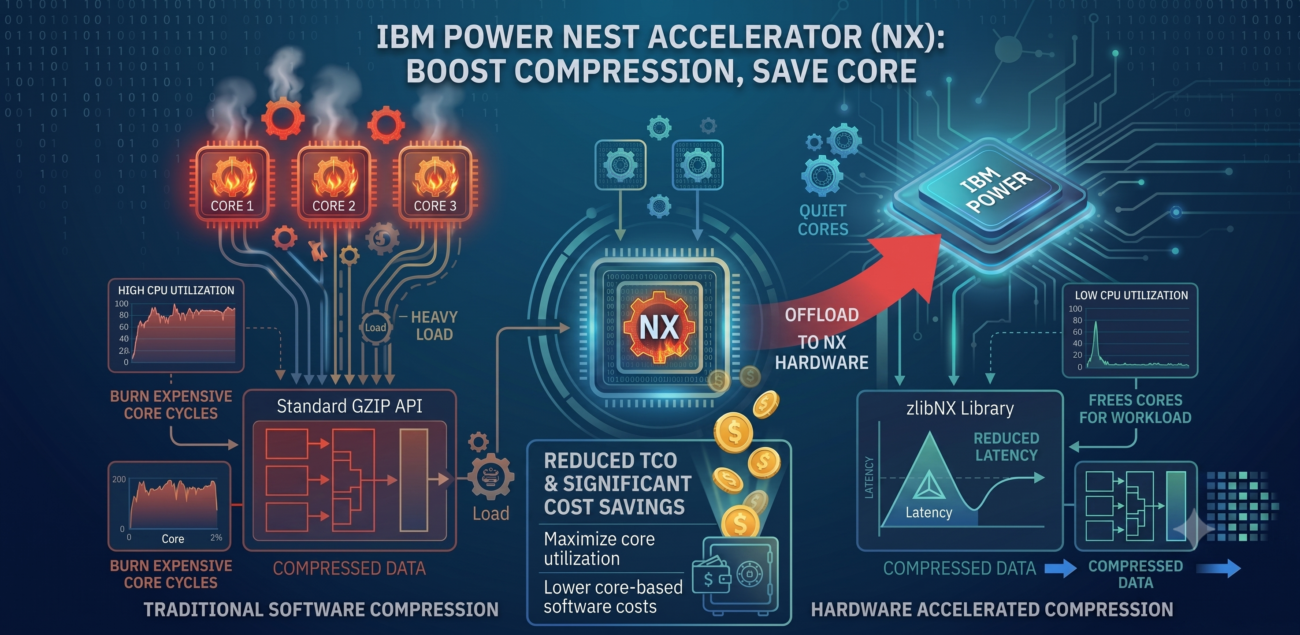
Data compression is standard requirement in modern IT infrastructure. We do it daily to save storage space and reduce network bandwidth. However, traditional software compression comes with a hidden tax—it is a heavy CPU consumer. In the IBM Power ecosystem, wasting expensive core cycles on background compression hurts your wallet, especially when those cores carry hefty software licenses.
This is where IBM Power processors offer a massive financial and technical advantage. Under the hood, you have a built-in feature that lets you offload this workload completely for free, without any additional licensing costs: the Nest Accelerator (NX).
Instead of burning your primary processor cores, the NX coprocessor takes over compression, decompression, encryption, and random number generation. By moving these tasks to dedicated silicon, your LPAR cores can focus entirely on your databases and applications.
To leverage this, IBM provides the zlibNX library. It acts as a drop-in replacement for the standard zlib API, giving you hardware-accelerated performance without rewriting a single line of your application’s source code.
However, to unlock the NX accelerator, your environment needs to meet a few strict prerequisites. Here is your quick verification checklist:
- Firmware: Level 940 or higher.
- Processor Compatibility Mode: Must be set to POWER9 or higher. Note that the POWER9_base mode will not work, as it lacks the specific hardware capabilities required for NX acceleration.
- Operating System: AIX 7.2 TL4 or newer (and it is fully integrated out-of-the-box in AIX 7.3).
How to verify your LPAR compatibility?
There is no need to guess if your partition is ready. AIX provides a built-in tool called nxstat to instantly check your hardware acceleration status.
If your LPAR is mistakenly stuck in POWER9_base mode, running nxstat -S will return a clear warning:
# nxstat -S
nx_accel_mask = 0

** No accelerators available **
** Accelerators are not available for partitions in POWER9_base mode
On the other hand, when the environment is configured and the compatibility mode is set correctly, nxstat will confirm that the accelerator is active:
# nxstat -S
nx_accel_mask = 1

GZIP accelerator available
From Theory to Production: Benchmarking NX
To see how these architectural promises hold up in the real world, I built a dedicated lab environment to benchmark the performance difference.
For the test, I spun up a deliberately constrained LPAR to closely monitor the impact on limited compute resources:
- OS: AIX 7.3 TL4 SP0
- Entitled Capacity (EC): 0.25CPU
- Virtual Processors (VP): 1 VCPU
- Memory: 4 GB RAM
- Server: S1122 (9824-22A)
- FW: OB1110_088
The Benchmark Methodology
I wanted to measure the raw computational efficiency of the NX coprocessor, eliminating as many external bottlenecks as possible. Here is how I structured the test:
- The Workload: Instead of relying on generic synthetic files, I used industry-standard datasets to ensure the benchmark reflects diverse, real-world enterprise data structures:
- Silesia Corpus:
dickens(plain English text),osdb(MySQL database format), andx-ray(binary medical imaging). - Large Text Compression Benchmark:
enwik8(100 MB) andenwik9(1 GB) representing heavy, unstructured XML payloads (Wikipedia dumps).
- Silesia Corpus:
- The Tools: I compared standard software compression using
gzipandpigz(explicitly locked to a single thread to ensure a fair 1:1 comparison with standard zlib behaviors) against the hardware-accelerated alternative. - Eliminating Disk I/O: To isolate the CPU performance and remove storage latency from the equation, all compressed outputs were discarded by routing them directly to
/dev/null. - Mitigating Cache Bias: Every single test was executed 11 times. The very first run was treated strictly as a “warm-up” to ensure storage array caching didn’t warp the results. The final metrics represent a clean average of the remaining runs.
The Results
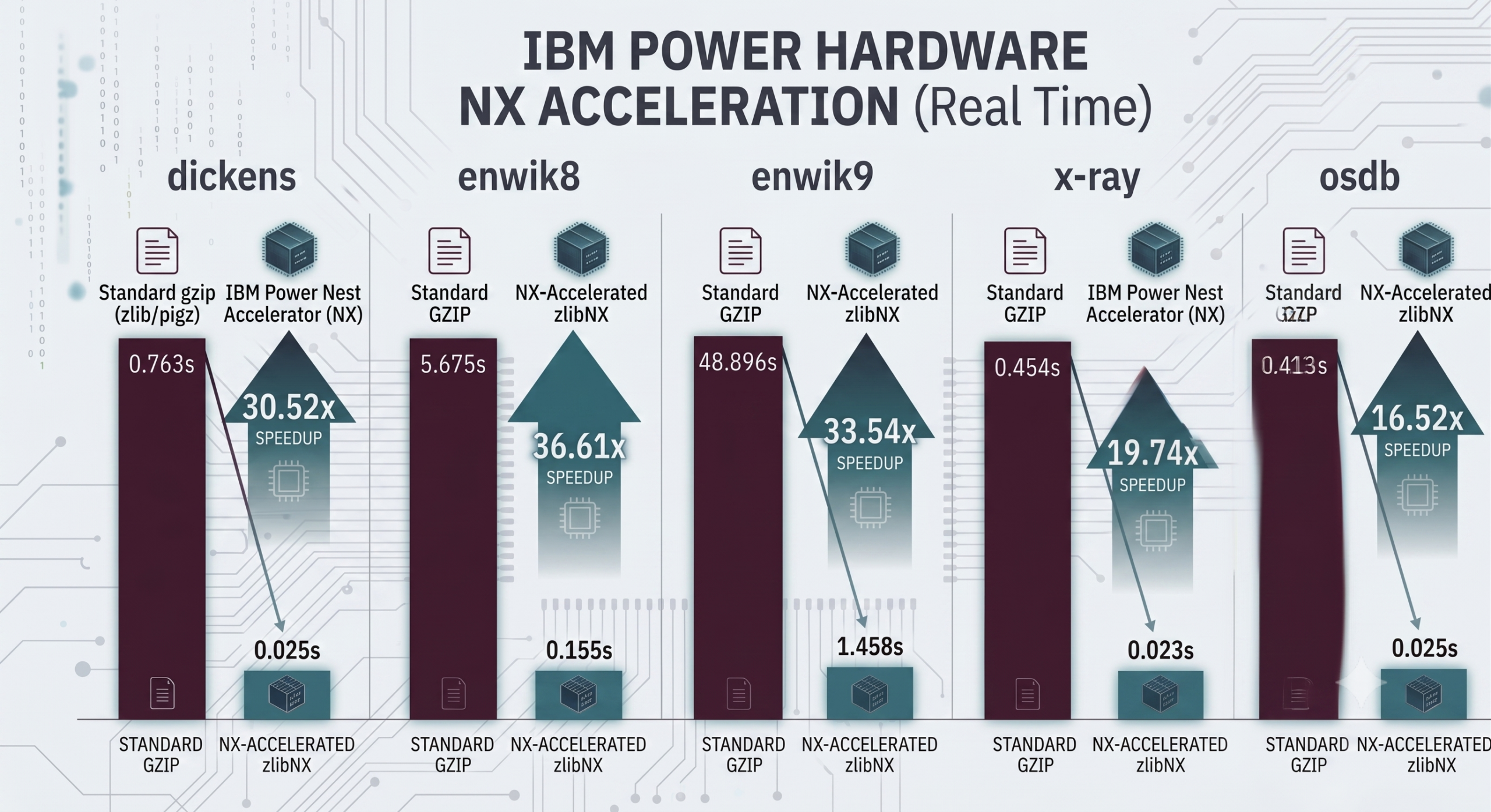
To provide a complete picture of the performance gains, I captured the full output from the standard AIX time command. This breaks down the execution into three critical metrics:
Real: The actual time the user waits for the compression to finish (critical for shrinking backup windows).
User: The actual processor cycles consumed within the application space (critical for measuring CPU offload and licensing efficiency).
Sys: The overhead from the operating system.
| Dataset | Standard gzip (Real / User / Sys) | NX pigz (Real / User / Sys) | Speedup (user) | Speedup (real) |
| dickens | 0.763s / 0.226s / 0.001s | 0.025s / 0.005s / 0.002s | 45.2x | 29.8x |
| enwik8 | 5.675s / 1.686s / 0.004s | 0.155s / 0.041s / 0.004s | 40.9x | 36.6x |
| enwik9 | 48.896s / 14.536s / 0.037s | 1.458s / 0.402s / 0.030s | 36.2x | 33.5x |
| x-ray | 0.454s / 0.135s / 0.001s | 0.023s / 0.005s / 0.002s | 27.2x | 19.5x |
| osdb | 0.413s / 0.123s / 0.001s | 0.025s / 0.005s / 0.002s | 24.6x | 16.4x |
Key Takeaways from the Data
The performance metrics across these industry-standard datasets demonstrate significant gains on two fronts:
- CPU Efficiency (user time): The Nest Accelerator almost entirely removes the compression burden from the primary cores. We are seeing an incredible 45.2x reduction in user time for standard text (
dickens) and a sustained ~36x to 40x gain on massive XML payloads (enwik8,enwik9). - Execution Speed (real time): The elapsed time acceleration is equally impressive. Look at the 1 GB
enwik9payload. Standard software took almost 49 seconds of real time to compress the data. The hardware-acceleratedpigzfinished the exact same job in 1.45 seconds—a 33.5x speedup. - Consistent Across Workloads: Even when processing dense binary medical imaging (
x-ray) or structured MySQL exports (osdb), the NX coprocessor maintains a staggering 16x to 19x real time speedup over software compression, while consuming a fraction of the user CPU cycles.
The Catch: Compression Ratio Trade-off
While the Nest Accelerator (NX) delivers a massive boost in execution speed and drastically lowers CPU utilization, there is a technical trade-off: the compression ratio. Because the hardware-fixed algorithms in the NX chip process data differently than standard software-based zlib loops, the resulting file sizes vary slightly.
Here is the comparison of the file sizes after compression:
| Dataset | Original Size | gzip (Size / Ratio) | pigz (Size / Ratio) | Size Variance |
| dickens | 9,953.56 KB | 3,778.10 KB (37.96%) | 4,865.08 KB (48.88%) | +10.92% |
| enwik8 | 97,656.25 KB | 35,662.43 KB (36.52%) | 43,693.17 KB (44.74%) | +8.22% |
| enwik9 | 976,562.50 KB | 316,155.16 KB (32.37%) | 394,774.41 KB (40.42%) | +8.05% |
| x-ray | 8,275.62 KB | 5,896.28 KB (71.25%) | 6,767.04 KB (81.77%) | +10.52% |
| osdb | 9,849.30 KB | 3,651.93 KB (37.08%) | 4,478.98 KB (45.48%) | +8.40% |
For most enterprise workloads, saving a massive amount of expensive CPU cycles easily outweighs a tiny variance in storage consumption. However, it is an architectural detail you must keep in mind when designing your backup and log management strategies.
Advanced Topic: Managing NX Contention via HMC QoS
When you start implementing hardware acceleration across a few test LPARs, everything runs beautifully. But what happens when you roll this out at scale across an entire enterprise frame?
Since the Nest Accelerator is a shared hardware resource built into the processor chip, multiple LPARs running heavy compression tasks simultaneously can eventually start competing for its execution queues. If left unmanaged, a non-critical backup job on one partition could potentially choke a high-priority database transaction log compression on another.
IBM anticipated this enterprise bottleneck. From the Hardware Management Console (HMC), you can implement Quality of Service (QoS) controls for the NX accelerators to explicitly manage contention.
By allocating explicit QoS credits in the HMC partition profiles, you can guarantee that your mission-critical production environments always get immediate, low-latency access to the dedicated silicon, while dev/test or backup workloads with fewer credits gracefully queue if the chip experiences peak utilization.
How to Configure zlibNX on AIX (7.2 & 7.3)
Activating this feature varies slightly depending on your target AIX deployment level. Below is the quick operational guide to getting hardware compression up and running in your lab or production partition:
For AIX 7.3:
You are already set. The zlibNX.rte library and pigz are included in the base installation.
For AIX 7.2:
You need to manually prepare the environment. The process requires two steps:
1. Install the Library (zlibNX.rte):
AIX 7.2 TL5 SP2 and newer: The fileset is available directly on the base AIX installation media.
AIX 7.2 TL4 through TL5 SP1: The fileset is located on the AIX Expansion Pack media.
2. Install pigz:pigz is the utility that leverages the zlibNX library. You can install the latest version via AIX Toolbox
Where to Leverage Hardware Acceleration: Practical Examples
You don’t always need a custom application rewrite to benefit from NX. Because zlibNX acts as a drop-in replacement for the standard zlib API, many enterprise-grade utilities and applications can leverage the accelerator simply by linking against the provided library.
Here are several practical examples where you can start utilizing hardware acceleration in your environment:
- Database Backups: In IBM Db2, the hardware accelerator is automatically leveraged for compression and decompression during
BACKUPandRESTOREoperations, provided the environment is configured correctly. This is one of the most effective ways to shrink RTO without spiking CPU utilization. - Diagnostic Tools: Native AIX tools like
snap, which are essential for gathering diagnostic data, are designed to detect and utilize hardware compression. This speeds up data collection during high-pressure support scenarios. - Secure Data Transfer: OpenSSH can leverage hardware-accelerated compression for
scpandsftptransfers. By enablingCompression yesinsshd_configand on the client side, you can offload the compression overhead during bulk data transfers. - Archival Pipelines: Standard log rotation and batch archival scripts that utilize
tar,pax, orgzip(via thepigzutility) are the most accessible entry points. By routing these tasks throughpigz, you can slash backup windows without impacting your primary application performance.
Final Thoughts: Why This Matters for IT Architects
This test proves that Nest Accelerator (NX) hardware compression isn’t just a marketing slide feature—it is a production-ready game changer.
By upgrading your environment to POWER9/10/11 standards and ensuring the zlibNX libraries are active, you achieve two major infrastructure milestones simultaneously:
- You drastically slash backup windows and diagnostic collection times.
- You completely free your primary compute capacity from low-level processing cycles, squeezing the absolute maximum ROI from your core-based OS and database licenses.
The best part? This performance boost is already sitting inside your IBM Power frames. It doesn’t cost an extra cent in licensing—it is just waiting to be unlocked.
Have you already implemented zlibNX in your environment?